## Introduction
Smart home security cameras have transformed from simple recording devices into sophisticated AI-powered guardians that protect your home 24 hours a day, 7 days a week. Whether you are looking to deter burglars, monitor deliveries, keep an eye on pets while at work, or ensure elderly family members are safe, choosing the right security camera system is absolutely crucial for effective home protection in today’s world.
The security camera industry has experienced explosive growth over the past decade. What started as basic closed-circuit television systems requiring professional installation and monitoring has evolved into consumer-friendly devices that anyone can install in minutes. Today’s smart cameras offer features that would have seemed like science fiction just a few years ago: facial recognition, artificial intelligence-powered threat detection, instant mobile notifications, two-way audio communication, color night vision, and seamless integration with other smart home devices.
This comprehensive guide covers everything you need to know about smart home security cameras. We will explore the different types of cameras available, essential features to consider, installation best practices, storage options, privacy concerns, and expert recommendations for 2026. Whether you are a first-time buyer looking for basic protection or a tech enthusiast wanting the most advanced system available, this guide will help you make an informed decision.
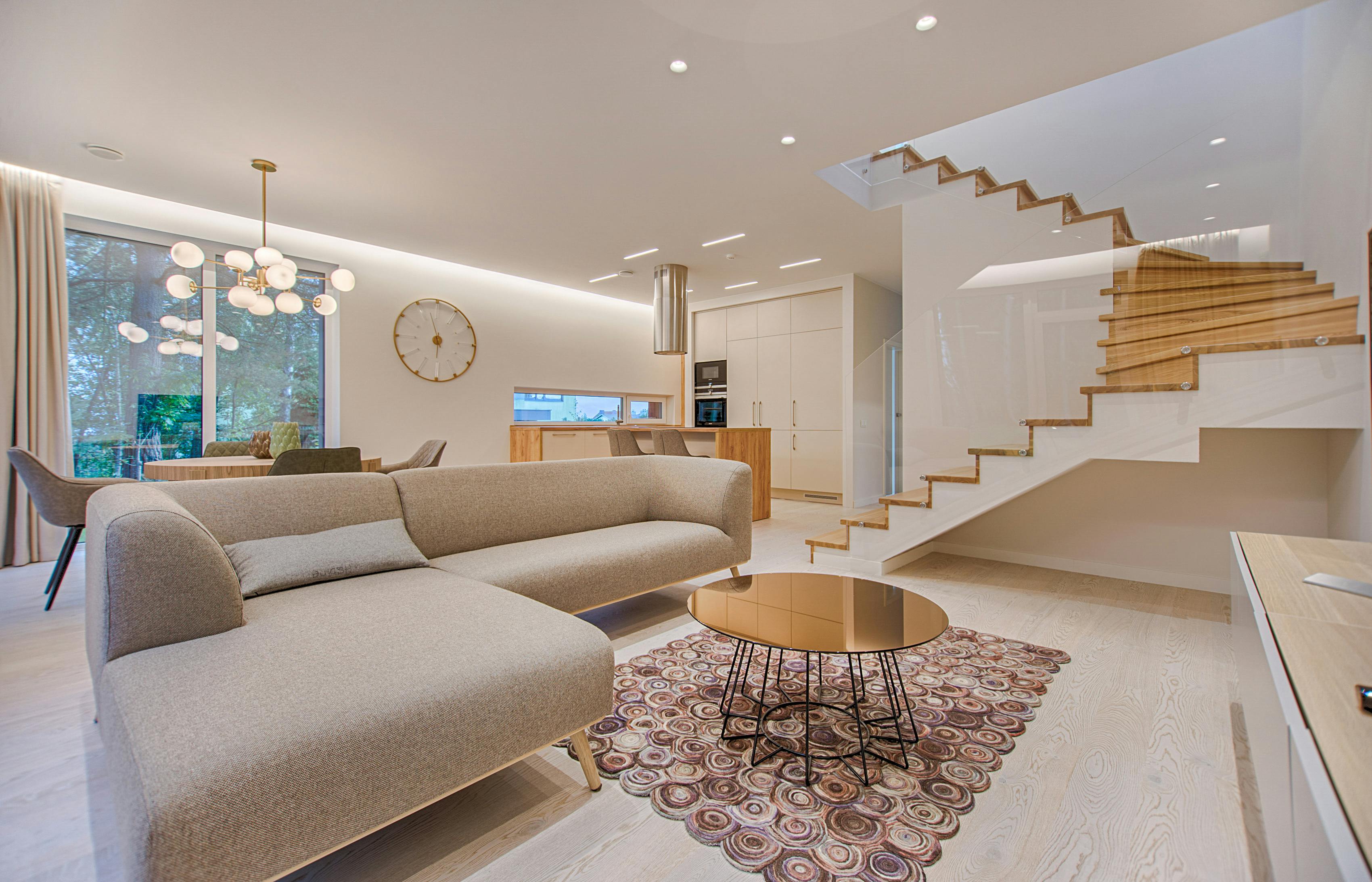
Modern security cameras offer comprehensive 24/7 protection with advanced AI-powered features
## Why Security Cameras Matter: The Statistics
### The Alarming Reality of Property Crime
Understanding the scope of property crime helps illustrate why security cameras are not just a luxury but a necessity for modern homeowners. According to the most recent data from the Federal Bureau of Investigation and major security industry associations, property crimes remain one of the most common criminal offenses in the United States and globally.
The statistics paint a sobering picture:
– Homes without security systems are approximately **300% more likely** to be targeted by burglars
– Visible security cameras deter approximately **60% of potential burglars** before they even attempt entry
– Security camera footage helps law enforcement solve roughly **67% of home burglary cases** where video is available
– Properties with visible camera systems experience **50% fewer package thefts** compared to unprotected homes
– The average loss per burglary is approximately **$2,661**, not including emotional trauma and time spent dealing with insurance claims
– Only about **13% of burglaries** result in an arrest due to lack of evidence
These numbers make one thing abundantly clear: security cameras are not just about capturing footage after a crime occurs. They are primarily about prevention. When criminals see cameras, they typically move on to easier targets.
### Beyond Crime Prevention: Additional Benefits
Modern security cameras offer significant benefits that extend far beyond deterring criminals. Today’s smart camera systems have become multi-purpose tools that enhance daily life in numerous ways:
**Package Monitoring:**
With the explosive growth of e-commerce, package theft has become increasingly common. Security cameras allow you to monitor deliveries in real-time, receive instant notifications when packages arrive, and provide evidence if theft occurs. Many modern cameras even offer package-specific detection algorithms that can distinguish between a person and a delivered box.
**Pet Surveillance:**
Pet owners can check on their furry companions throughout the day, ensuring they are safe, not destructive, and comfortable. Two-way audio features allow you to speak to pets, and some advanced systems can even alert you to unusual behavior patterns that might indicate health issues.
**Elderly Care Monitoring:**
Adult children can keep an eye on aging parents who wish to maintain independence while providing peace of mind for the entire family. Cameras can alert you if an elderly parent falls, if they have unexpected visitors, or if their daily routine changes significantly.
**Child Safety:**
Parents can monitor children playing in the yard, verify they arrived home from school safely, and ensure babysitters are providing proper care. Indoor cameras can help you check on sleeping infants without entering the room and potentially waking them.
**Visitor Verification:**
Before answering the door, you can see exactly who is there. This is particularly valuable for vulnerable populations or those living alone. You can screen solicitors, verify expected visitors, and avoid opening the door to potential threats.
**Insurance Benefits:**
Many insurance companies offer premium discounts of 5-20% for homes with monitored security systems. Some insurers require security camera footage to process certain claims, particularly those involving theft or vandalism.
**Documentation for Various Purposes:**
Cameras document weather events, wildlife activity, neighborhood disputes, accidents on your property, and countless other situations where having video evidence proves invaluable.
## Understanding Security Camera Types
The security camera market offers a bewildering array of options. Understanding the different types available helps narrow your choices based on your specific needs, budget, and technical capabilities.
### Indoor Security Cameras
Indoor cameras are specifically designed for monitoring interior spaces and typically feature designs that blend into home decor.
**Key Features of Indoor Cameras:**
– Wide-angle lenses ranging from 120 to 180 degrees to capture entire rooms
– High-quality two-way audio for communication with family members or pets
– Advanced motion detection with customizable alert zones
– Privacy modes including physical shutters or privacy zones to disable recording
– Compact, discreet designs that fit on shelves, mount on walls, or sit on tables
– Pan-tilt-zoom (PTZ) capabilities on premium models to survey large areas
**Common Use Cases:**
– Monitoring living rooms and common areas
– Keeping an eye on nurseries and children’s bedrooms
– Watching pets while away from home
– Checking on elderly family members
– Monitoring indoor workers such as cleaners or repair technicians
**Popular Indoor Camera Models:**
The Google Nest Cam Indoor offers excellent integration with Google Home ecosystems and sophisticated AI person detection. The Ring Indoor Cam provides affordable monitoring with seamless Ring ecosystem integration. The Wyze Cam v3 delivers surprising quality at an entry-level price point.
### Outdoor Security Cameras
Outdoor cameras must withstand environmental challenges while providing reliable monitoring of exterior spaces.
**Essential Outdoor Camera Features:**
– Weatherproof ratings of IP65 or higher to withstand rain, snow, and temperature extremes
– Superior night vision capability using infrared LEDs or color night vision technology
– Vandal-resistant housings that resist tampering and physical damage
– Extended WiFi antennas for reliable connectivity across larger properties
– Optional floodlight integration for enhanced visibility and deterrence
– Battery or solar power options for flexible placement
**Common Outdoor Applications:**
– Front door and entryway monitoring
– Driveway and garage surveillance
– Backyard and pool area protection
– Perimeter fence monitoring
– Package delivery zones
– Detached structures like sheds and workshops
**Considerations for Outdoor Placement:**
– Position cameras at least 8 feet high to prevent tampering
– Ensure cameras are visible to maximize deterrence effect
– Avoid pointing cameras directly at sunlight to prevent glare
– Consider local weather patterns when choosing weatherproofing ratings
– Verify night vision range meets your property’s dimensions
### Video Doorbell Cameras
Video doorbells represent the fastest-growing category in home security, replacing traditional doorbells with intelligent monitoring solutions.
**Core Doorbell Camera Features:**
– Wide-angle lenses capturing the entire doorstep area from ground level
– Two-way audio communication with visitors
– Motion-activated recording starting before visitors press the button
– Package detection algorithms that specifically alert you to deliveries
– Cloud and local storage options with varying subscription models
– Integration with smart locks for remote access
**Advantages of Doorbell Cameras:**
– Receive packages without being home
– Screen visitors before answering the door
– Communicate with delivery drivers with specific instructions
– Monitor front door activity continuously
– Deter porch pirates with visible presence
**Top Doorbell Camera Options:**
The Ring Video Doorbell Pro 2 offers exceptional video quality and advanced 3D motion detection. The Google Nest Doorbell provides intelligent person, package, and vehicle detection. The Arlo Essential Video Doorbell delivers high-quality video in a wire-free package.
### Wireless vs. Wired Security Cameras
The choice between wireless and wired cameras involves trade-offs between installation convenience and reliability.
**Wireless Camera Systems:**
*Advantages:*
– Easy DIY installation without drilling or running cables
– Flexible placement options not limited by power outlet locations
– Quick relocation if you move or want to change coverage areas
– Modern battery life lasting 2-6 months between charges
– Solar panel options for continuous outdoor power
*Disadvantages:*
– Dependency on WiFi signal strength and bandwidth
– Battery replacement or recharging requirements
– Potential for signal interference from other devices
– Higher long-term cost if using disposable batteries
– Possible connectivity issues during power outages
**Wired Camera Systems:**
*Advantages:*
– Continuous power supply eliminates battery concerns
– More reliable and stable connections
– No battery replacement costs or maintenance
– Higher video quality options typically available
– Better suited for permanent installations
*Disadvantages:*
– Professional installation often recommended
– Limited placement flexibility based on wiring
– Higher upfront installation costs
– Difficult to relocate once installed
– Potential property damage during installation
**Hybrid Systems:**
Many modern systems offer hybrid approaches using Power over Ethernet (PoE) cameras that receive both power and data through a single Ethernet cable, combining the reliability of wired connections with simplified installation.
## Essential Security Camera Features Explained
Understanding specific camera features helps you evaluate options and choose equipment that meets your exact requirements.
### Video Resolution and Quality
Video resolution directly impacts your ability to identify faces, read license plates, and capture usable evidence.
**Resolution Standards:**
*1080p (Full HD):* The minimum acceptable standard for modern security cameras. Provides 1920×1080 pixels and sufficient detail for general monitoring. Good for identifying people and general activity but may struggle with fine details like license plates at distance.
*2K (1440p):* Offers 2560×1440 pixels, providing significantly more detail than 1080p. Better for facial identification and reading license plates. Represents the sweet spot between quality and storage/bandwidth requirements.
*4K (2160p):* Premium option providing 3840×2160 pixels and maximum clarity. Excellent for identifying fine details but requires substantial storage space and bandwidth. Best for critical monitoring areas where identification is paramount.
**Frame Rate Considerations:**
Higher frame rates (30fps vs. 15fps) provide smoother video and better capture of fast-moving subjects. This can be crucial for identifying vehicles or running suspects.
**High Dynamic Range (HDR):**
HDR technology helps cameras handle challenging lighting conditions, such as bright sunlight streaming through windows or mixed lighting scenarios. This feature prevents overexposed or underexposed footage.
### Night Vision Technology
Effective night vision separates quality security cameras from inferior products. Understanding the technologies helps you choose appropriately.
**Infrared (IR) Night Vision:**
Standard night vision uses infrared LEDs to illuminate scenes invisible to the human eye. Cameras capture this reflected infrared light, producing black and white footage.
– Typical range: 15 to 100 feet depending on LED strength
– Completely invisible to humans
– Standard on virtually all security cameras
– Adequate for most residential applications
**Color Night Vision:**
Advanced cameras use sophisticated sensors and minimal ambient light to produce color footage in near-dark conditions.
– Provides more identifying detail through color information
– Requires some ambient light (streetlights, moonlight)
– Higher power consumption
– Premium feature on mid-range to high-end cameras
– Significantly better for identifying vehicles and clothing
**Starlight Technology:**
The most advanced night vision uses ultra-sensitive sensors that can produce color video in near-total darkness.
– Exceptional performance in minimal light
– Premium pricing tier
– Best for critical applications requiring identification
– Often combined with IR for complete darkness scenarios
### Field of View Specifications
Field of view determines how much area a camera can monitor and affects placement strategy.
**Narrow Field of View (60-90 degrees):**
Best for monitoring specific points such as gates, doorways, or specific entry points. Provides more detail at distance but requires more cameras to cover large areas.
**Standard Field of View (100-130 degrees):**
Covers most rooms and general doorways effectively. The most common specification for general-purpose cameras. Good balance between coverage and detail.
**Wide Field of View (140-180 degrees):**
Maximum coverage ideal for open areas, large yards, or when minimizing camera count. Slight fisheye distortion at extreme edges. Some cameras offer dewarping software to correct distortion.
**PTZ Cameras:**
Pan-tilt-zoom cameras can mechanically move to cover wide areas, zoom in on specific subjects, and follow movement. More expensive but highly flexible.
### Motion Detection and Artificial Intelligence
Modern motion detection has evolved far beyond simple pixel-change detection to sophisticated AI-powered analysis.
**Basic Motion Detection:**
Detects changes in video pixels and triggers recording and alerts.
– Simple and reliable for general monitoring
– Prone to false alarms from shadows, tree movement, insects
– Requires careful sensitivity adjustment
– Can result in notification fatigue
**Zone-Based Detection:**
Allows defining specific areas where motion matters and ignoring others.
– Reduces false alarms significantly
– Ignores movement in irrelevant areas
– Allows customized alert zones for different areas
– Standard on most modern cameras
**AI-Powered Detection:**
Artificial intelligence algorithms distinguish between different types of motion.
*Person Detection:* Identifies human shapes specifically, ignoring animals, vehicles, and other movement. Dramatically reduces false alarms.
*Vehicle Detection:* Recognizes cars, trucks, and other vehicles. Useful for driveway monitoring and vehicle-related alerts.
*Package Detection:* Specifically identifies delivered packages and can send dedicated alerts when packages arrive or are removed.
*Facial Recognition:* Advanced systems can recognize specific individuals and send customized alerts. Raises privacy concerns and requires significant processing power.
*Animal Detection:* Distinguishes between pets and wildlife, reducing alerts from neighborhood animals while still capturing relevant wildlife footage.
**Activity Zones:**
Define specific areas where detection matters. For example, monitor your driveway but ignore the sidewalk, or watch your front porch but not the street.
### Storage Options and Considerations
How your camera stores footage significantly impacts cost, accessibility, and security.
**Cloud Storage:**
Footage uploads to remote servers maintained by the camera manufacturer or third-party services.
*Advantages:*
– Accessible from anywhere with internet connection
– Secure even if cameras are stolen or damaged
– Easy sharing with law enforcement or insurance
– No local storage hardware to purchase or maintain
– Redundant backup protection
*Disadvantages:*
– Monthly or annual subscription costs
– Requires reliable internet connection
– Ongoing expenses accumulate over time
– Privacy concerns with third-party servers
– Potential for service discontinuation
**Local Storage (SD Card):**
Footage stores on memory cards inserted directly into cameras.
*Advantages:*
– No monthly subscription fees
– Complete privacy control
– Works without internet connection
– Simple and reliable
– Low ongoing costs
*Disadvantages:*
– Limited storage capacity (typically 32GB to 256GB)
– Vulnerable to theft if camera is stolen
– Requires periodic card replacement
– No remote access without additional hardware
– Manual management required
**Network Video Recorder (NVR):**
Dedicated recording devices that store footage from multiple cameras.
*Advantages:*
– Massive storage capacity (terabytes)
– Professional-grade reliability
– Supports many cameras simultaneously
– Advanced features and search capabilities
– No cloud subscription required
*Disadvantages:*
– Higher upfront hardware costs
– Requires technical knowledge to configure
– Vulnerable to theft if not properly secured
– More complex setup process
**Hybrid Storage:**
Many systems offer both cloud and local storage simultaneously, providing redundancy and flexibility.
### Smart Home Integration
Modern security cameras integrate with broader smart home ecosystems, enabling automation and enhanced functionality.
**Amazon Alexa Integration:**
– View camera feeds on Echo Show devices
– Voice commands to arm/disarm systems
– Automated routines triggered by camera events
– Integration with Ring Alarm and other security systems
**Google Home Integration:**
– Nest cameras integrate seamlessly with Google ecosystem
– View feeds on Google Nest Hub displays
– Google Assistant voice commands
– Automated routines with other Google devices
**Apple HomeKit Integration:**
– Secure video with iCloud storage
– Encrypted footage accessible only to authorized users
– Integration with other HomeKit devices
– Siri voice control capabilities
**IFTTT and Automation:**
– Trigger lights when motion detected
– Send notifications to multiple platforms
– Integration with smart locks and doorbells
– Custom automation workflows
## Strategic Installation and Placement
Proper camera placement dramatically impacts effectiveness. Strategic positioning maximizes coverage while minimizing blind spots and vulnerabilities.
### Critical Placement Locations
Based on burglary statistics and security research, certain locations warrant priority:
**Front Door (Priority 1):**
– 34% of burglars enter through the front door
– Most common entry point for all types of intruders
– Essential for package monitoring
– Visible placement provides maximum deterrence
– Doorbell cameras ideal for this location
**Back Door (Priority 2):**
– 22% of burglars use rear entrances
– Often less visible from street
– May provide easier access due to concealment
– Back door cameras should cover approach paths
**First Floor Windows (Priority 3):**
– 23% of entries occur through first-floor windows
– Particularly vulnerable if obscured by landscaping
– Window sensors combined with cameras provide best protection
– Consider cameras covering window approaches
**Driveway and Garage (Priority 4):**
– Vehicle protection
– Package delivery monitoring
– Approach detection for front of house
– License plate capture capabilities valuable
**Backyard (Priority 5):**
– Pool safety (critical if you have children)
– Storage shed protection
– Perimeter monitoring
– Wildlife and pet monitoring
**Side Yards and Secondary Entrances:**
– Often overlooked by homeowners
– Favorite entry points for experienced burglars
– Should not be neglected in comprehensive systems
### Height and Angle Guidelines
**Optimal Mounting Height:**
– **8-10 feet:** Ideal for facial recognition and detail capture
– **Above reach:** Prevents tampering and damage
– **Under eaves:** Provides weather protection
– **Accessible:** Allows for maintenance without special equipment
**Camera Angles:**
– **Downward tilt:** 15-30 degrees captures faces while avoiding sky glare
– **Avoid extreme angles:** Can distort perspective and identification
– **Consider sun position:** Avoid direct sunlight in lens during peak hours
– **Test view:** Verify coverage before finalizing installation
### WiFi and Connectivity Planning
**Bandwidth Requirements:**
Each camera consumes significant bandwidth, particularly when streaming high-resolution video:
– 1080p cameras: approximately 2 Mbps per camera
– 2K cameras: approximately 4 Mbps per camera
– 4K cameras: approximately 8 Mbps per camera
**Improving WiFi Signal:**
– Position router centrally in home
– Use WiFi extenders or mesh systems for large properties
– Consider dedicated security camera network
– Verify signal strength at camera locations before installation
– Use WiFi analyzers to identify interference sources
**Power Over Ethernet (PoE):**
For new construction or major renovations, consider PoE cameras that receive both power and data through a single Ethernet cable, providing the most reliable connection possible.
### Advanced Installation Techniques
**Concealed Wiring:**
Professional installations often run wires through walls and attics for clean aesthetics and protection from tampering.
**Wireless Camera Placement:**
– Within 300 feet of router for reliable signal
– Line of sight preferred when possible
– Avoid placing behind metal objects or dense materials
– Test signal strength before permanent mounting
**Camera Protection:**
– Vandal-resistant housings for exposed cameras
– Weather shields for extreme climates
– Security screws to prevent easy removal
– Backup power solutions for critical cameras
## Top Security Camera Recommendations for 2026
The security camera market offers options at every price point. These recommendations represent the best options currently available across different categories.
### Best Overall Security Camera: Arlo Pro 4
**Key Specifications:**
– **Resolution:** 2K with HDR
– **Field of View:** 160 degrees
– **Night Vision:** Color night vision
– **Features:** Integrated spotlight, two-way audio, weather-resistant
– **Storage:** Cloud and local SD card
– **Price:** $199
**Why It Excels:**
The Arlo Pro 4 offers the best combination of features, video quality, and ease of use. The integrated spotlight provides both illumination and deterrence, while the 160-degree field of view captures wide areas. The Arlo app provides excellent user experience, and the system integrates with most major smart home platforms.
**Best For:** Homeowners wanting premium features without professional installation complexity.
### Best Budget Security Camera: Wyze Cam v3
**Key Specifications:**
– **Resolution:** 1080p
– **Field of View:** 130 degrees
– **Night Vision:** Color night vision with Starlight sensor
– **Features:** Weatherproof, two-way audio, IP65 rated
– **Storage:** Cloud and microSD
– **Price:** $35
**Why It Excels:**
The Wyze Cam v3 delivers remarkable value, offering features typically found on cameras costing five times as much. The Starlight sensor provides exceptional low-light performance, and the weatherproof design allows outdoor use. While the free cloud storage is limited, microSD cards provide inexpensive local storage.
**Best For:** Budget-conscious buyers or those wanting to try security cameras without major investment.
### Best Video Doorbell: Ring Video Doorbell Pro 2
**Key Specifications:**
– **Resolution:** 1536p head-to-toe video
– **Field of View:** 150 degrees horizontal, 150 degrees vertical
– **Features:** 3D motion detection, Alexa integration, pre-roll video
– **Storage:** Cloud subscription required
– **Price:** $259
**Why It Excels:**
The Ring Video Doorbell Pro 2 captures visitors from head to toe, showing faces and packages equally well. Advanced 3D motion detection reduces false alarms, while the pre-roll feature captures video several seconds before motion triggers. Integration with the Ring ecosystem and Alexa provides comprehensive smart home security.
**Best For:** Front door monitoring, package protection, and Ring ecosystem users.
### Best AI-Powered Camera: Google Nest Cam (Battery)
**Key Specifications:**
– **Resolution:** 1080p
– **Field of View:** 135 degrees
– **Features:** On-device machine learning, familiar face alerts, intelligent alerts
– **Storage:** Cloud (subscription required for advanced features)
– **Price:** $179
**Why It Excels:**
Google’s AI capabilities shine in the Nest Cam. On-device processing identifies people, animals, and vehicles without sending video to the cloud. Familiar face recognition can distinguish between family members and strangers. The Google Home app provides excellent integration for Android users.
**Best For:** Tech enthusiasts wanting advanced AI features and Google ecosystem integration.
### Best Wired System: Lorex 4K Ultra HD
**Key Specifications:**
– **Resolution:** 4K
– **Cameras:** 8-camera system expandable to 16
– **Storage:** 2TB NVR included
– **Features:** Color night vision, smart motion detection, continuous recording
– **Price:** $899
**Why It Excels:**
Professional-grade features at a consumer price point. The 4K resolution captures exceptional detail, while the included NVR provides massive local storage without subscription fees. The system supports continuous recording and smart motion detection simultaneously.
**Best For:** Large properties, businesses, and users wanting professional-grade features.
## Privacy, Legal, and Ethical Considerations
Security cameras raise important privacy and legal questions every homeowner should understand.
### Recording Laws and Regulations
**Video Recording Legal Framework:**
In most jurisdictions, recording video on your own property is legal, with important caveats:
– Cameras cannot record areas where people have reasonable expectation of privacy
– Bathrooms, bedrooms, and changing areas are legally protected
– Recording into neighbors’ windows or private spaces may violate privacy laws
– Audio recording often has stricter requirements than video
**Audio Recording Considerations:**
Audio recording laws vary significantly by jurisdiction:
– **One-party consent states:** Only one person in the conversation must consent to recording
– **Two-party consent states:** All parties must consent to audio recording
– **Notification requirements:** Some jurisdictions require visible signage when audio recording occurs
– **Cross-border considerations:** Different rules apply if recording spans state or international borders
**Workplace Recording:**
If cameras monitor household employees (nannies, cleaners, caregivers), additional legal requirements may apply including notification obligations and consent requirements.
### Best Practices for Privacy
**Signage:**
Posting signs informing visitors of recording provides both deterrence and legal protection. Signs should be visible but not unsightly.
**Secure Your System:**
– Use strong, unique passwords for camera accounts
– Enable two-factor authentication when available
– Regularly update firmware and software
– Change default passwords immediately upon installation
– Use encrypted connections and secure networks
**Access Control:**
Limit camera access to authorized users only. Review who has access periodically and revoke access for former household members, service providers, or separated partners.
**Data Retention:**
Establish clear policies for how long footage is retained. Delete footage that is no longer needed, particularly footage containing sensitive personal information.
**Guest Notification:**
Inform houseguests that cameras are present. Consider disabling indoor cameras during visits or providing privacy modes.
### Neighbor Relations
**Camera Placement Ethics:**
– Avoid capturing neighbors’ private spaces
– Position cameras to minimize intrusion into others’ property
– Communicate with neighbors about camera placement
– Consider their privacy concerns when positioning outdoor cameras
**Community Standards:**
Some neighborhoods and homeowners associations have restrictions on visible security equipment. Review covenants and bylaws before installation.
## Maintenance, Troubleshooting, and Long-Term Care
Proper maintenance ensures your security system continues operating effectively for years.
### Monthly Maintenance Tasks
**Physical Inspection:**
– Verify all cameras are properly positioned and haven’t shifted
– Check mounting hardware for looseness
– Clean camera lenses with microfiber cloth
– Remove spider webs, bird nests, or other obstructions
– Trim vegetation that may block camera views
**System Testing:**
– Test motion detection in each zone
– Verify notifications arrive promptly
– Check battery levels on wireless cameras
– Review recent footage for quality issues
– Test two-way audio functionality
### Quarterly Maintenance Tasks
**Software Updates:**
– Update camera firmware to latest versions
– Update mobile apps on all devices
– Verify integration with other smart home devices
– Review and update automation routines
**Storage Management:**
– Check cloud storage capacity and subscription status
– Clear old footage from local storage
– Verify backup systems are functioning
– Review storage usage patterns
**Network Health:**
– Test WiFi signal strength at camera locations
– Review router logs for connectivity issues
– Verify bandwidth allocation for cameras
– Consider network upgrades if experiencing issues
### Troubleshooting Common Problems
**Poor Video Quality:**
– Clean camera lens
– Check for obstructions or glare sources
– Verify WiFi signal strength
– Adjust resolution settings
– Ensure adequate lighting
– Update camera firmware
**Motion Detection Issues:**
– Adjust sensitivity settings
– Verify motion zones are properly configured
– Check for environmental factors (wind, shadows)
– Update camera firmware
– Clear detection zones of vegetation
**Connectivity Problems:**
– Restart camera and router
– Verify WiFi password hasn’t changed
– Check for firmware updates
– Verify bandwidth availability
– Consider WiFi extenders or mesh network
– Test camera at different location
**Notification Failures:**
– Verify app notification permissions
– Check mobile device Do Not Disturb settings
– Verify email notification settings
– Test notification delivery
– Reinstall mobile app if necessary
**Storage Issues:**
– Verify subscription status for cloud storage
– Check SD card formatting and capacity
– Verify NVR hard drive health
– Review retention policies
## Conclusion
Smart home security cameras have evolved from optional luxury items into essential components of modern home protection. The right camera system provides not just security but peace of mind, knowing your property, family, and possessions are monitored and protected.
When selecting your security camera system, remember these key priorities:
1. **Prioritize Prevention:** Visible cameras deter most criminals before crimes occur
2. **Invest in Quality:** Higher resolution and better night vision pay dividends when you need identification
3. **Plan for Storage:** Choose storage solutions that balance accessibility, security, and cost
4. **Consider Integration:** Smart home integration amplifies your system’s value
5. **Place Strategically:** Follow placement guidelines to maximize coverage and effectiveness
6. **Maintain Regularly:** Monthly maintenance ensures long-term reliability
7. **Respect Privacy:** Follow legal requirements and ethical guidelines for recording
Whether you choose a single doorbell camera or a comprehensive multi-camera system, the important thing is starting. Even basic protection significantly improves your security posture. You can always expand your system over time as budget and needs evolve.
The peace of mind that comes from knowing your home is protected is invaluable. Invest in quality equipment, install it properly, and maintain it diligently. Your future self will thank you when you catch that package thief, deter that would-be burglar, or simply check on your sleeping child from across the country.
## References & Sources
– Federal Bureau of Investigation (FBI) – Uniform Crime Reporting Program
– Security Industry Association – 2026 Home Security Market Report
– Consumer Reports – Security Camera Testing and Reviews 2026
– Electronic Security Association – Installation Best Practices
– National Council for Home Safety and Security – Burglary Statistics
– Insurance Information Institute – Home Security and Insurance Claims
Research conducted using authoritative industry sources and government statistics